

Command to check DDOS on Server
September 7, 2026
 By Prasad Naik
While running a upcp –force in cPanel server got below error
[2015-06-20 13:48:48 -0400] see http://go.cpanel.net/rpmcheckfailed for more information
[2015-06-20 13:48:48 -0400] The Administrator will be notified to review this output when this script completes
=> Log closed Sat Jun 20 13:48:48 2015
[2015-06-20 13:49:13 -0400] 17% complete
[2015-06-20 13:49:13 -0400] E Running `/usr/local/cpanel/scripts/updatenow –upcp –log=/var/cpanel/updatelogs/update.1434820770.log` failed, exited with code 1 (signal = 0)
=> Log closed Sat Jun 20 13:49:24 2015
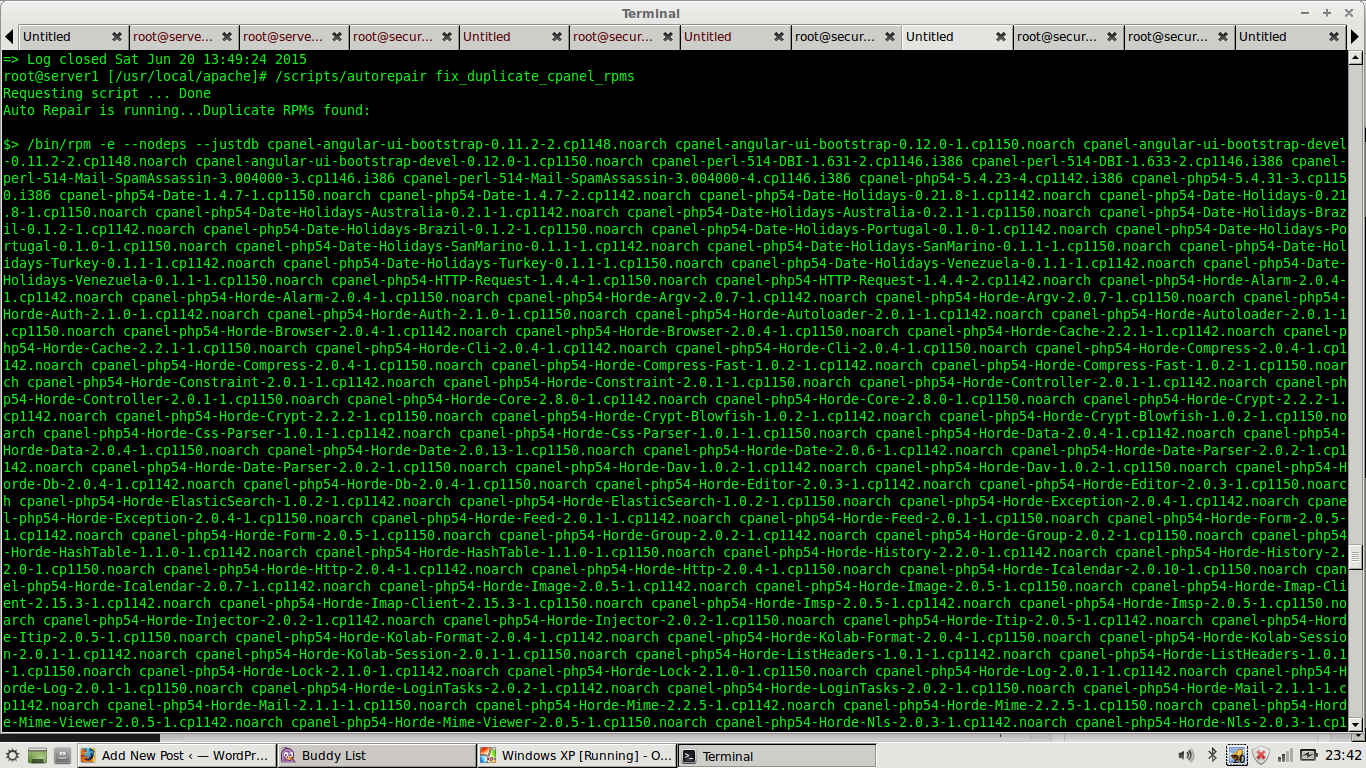
The issue is due to duplicate rpm in server
cPanel has a auto script to fix this issue
You need to use command /scripts/autorepair fix_duplicate_cpanel_rpms to remove duplicate rpm in server
root@server1 [/usr/local/apache]# /scripts/autorepair fix_duplicate_cpanel_rpms
This fixed the issue for me and now upcp is working fine.
September 7, 2026


June 25, 2026


Keep your servers secure, optimized, and running smoothly with our reliable 24/7 server management and technical support.